
Import a recipe and see its calories
Losing It can read a recipe from almost anywhere, match every ingredient to a food, and work out the calories and nutrients in each serving. You check each ingredient before anything is saved.
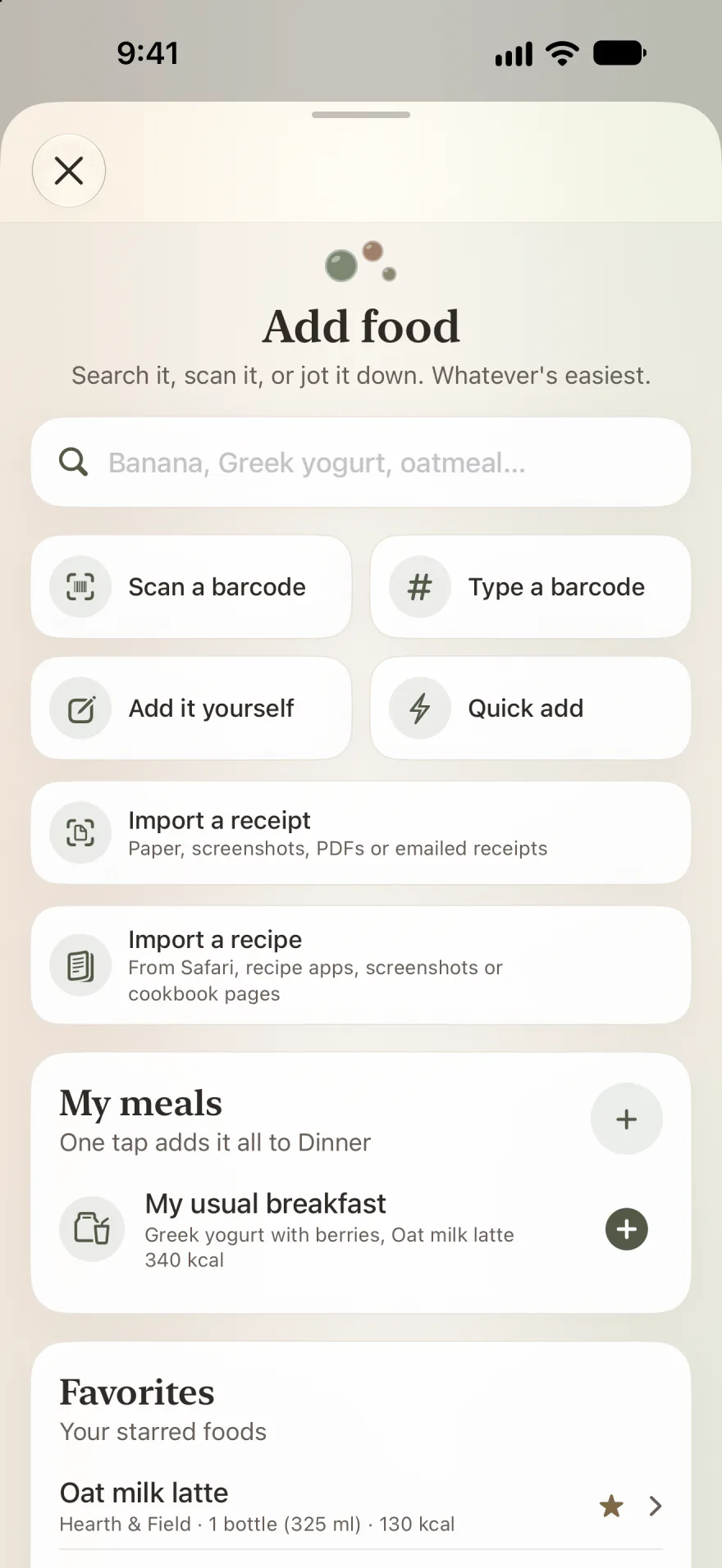
1. Bring the recipe in
- From Safari: open the recipe, tap the Share button, choose Losing It, then tap Save to Losing It.
- From a recipe app, Photos or Files: share the recipe, up to 5 photos or screenshots, or its PDF to Losing It the same way. In a recipe app, you can also copy the recipe’s link and paste it into Losing It.
- From Notes, Messages or a social post: copy the recipe’s text, including the ingredients, and paste it into Losing It.
- In the app: on the Food tab, tap Add food, then Import a recipe. Paste a link or a recipe’s text, choose up to 5 screenshots or photos in order, open a PDF or file, or scan up to 5 cookbook pages with your camera.
After you share a recipe, open Losing It. The newest recipe you shared in the last half hour opens by itself, and others wait under Shared with Losing It in Add food.
2. Check the ingredients
Losing It matches each ingredient and its amount to a food. Tap anything marked Needs a match or Check the amount to fix it. To leave an ingredient out, touch and hold it and choose Remove. An ingredient without a match counts as 0 calories.
3. Set the servings and save
Say how many servings the recipe makes, and Losing It works out the calories, protein, carbs, fat and other nutrients in each one. Then tap Just save the recipe, or save it and add a serving to your meal right away. The recipe goes into My foods, ready whenever you have it again.
If the ingredients aren’t found
- Web pages: open the page in Safari and share it from there. Some sites only open in a browser, so a link pasted from elsewhere may not open. You can also copy the ingredients and paste them in, or take a screenshot of them.
- Photos and screenshots: keep the whole ingredient list in view, flat and well lit. For a long recipe, choose a few screenshots in order.
- Social posts: copy the caption with the ingredients and paste it in.
- No connection: opening a link needs the internet. Tap Try again once you’re back online, or paste the recipe’s text instead.
What happens to the recipe
Recipes are read on your iPhone. The photos, scans, PDFs and text you import are never uploaded. To read a recipe from a link, your iPhone opens that page straight from its website, with no cookies and nothing from your journal. More in the privacy policy
Losing It is $0.99, once
A weight loss journal and calorie tracker for iPhone, with no subscription, no account and no ads.
Download on the App StoreAlso see how to turn a receipt into a meal and what $0.99 includes.