
Turn a receipt into a meal
A grocery haul or a takeout order already lists what you’re eating. Losing It reads the receipt, finds the foods, and gives you a meal to check and log in one go.
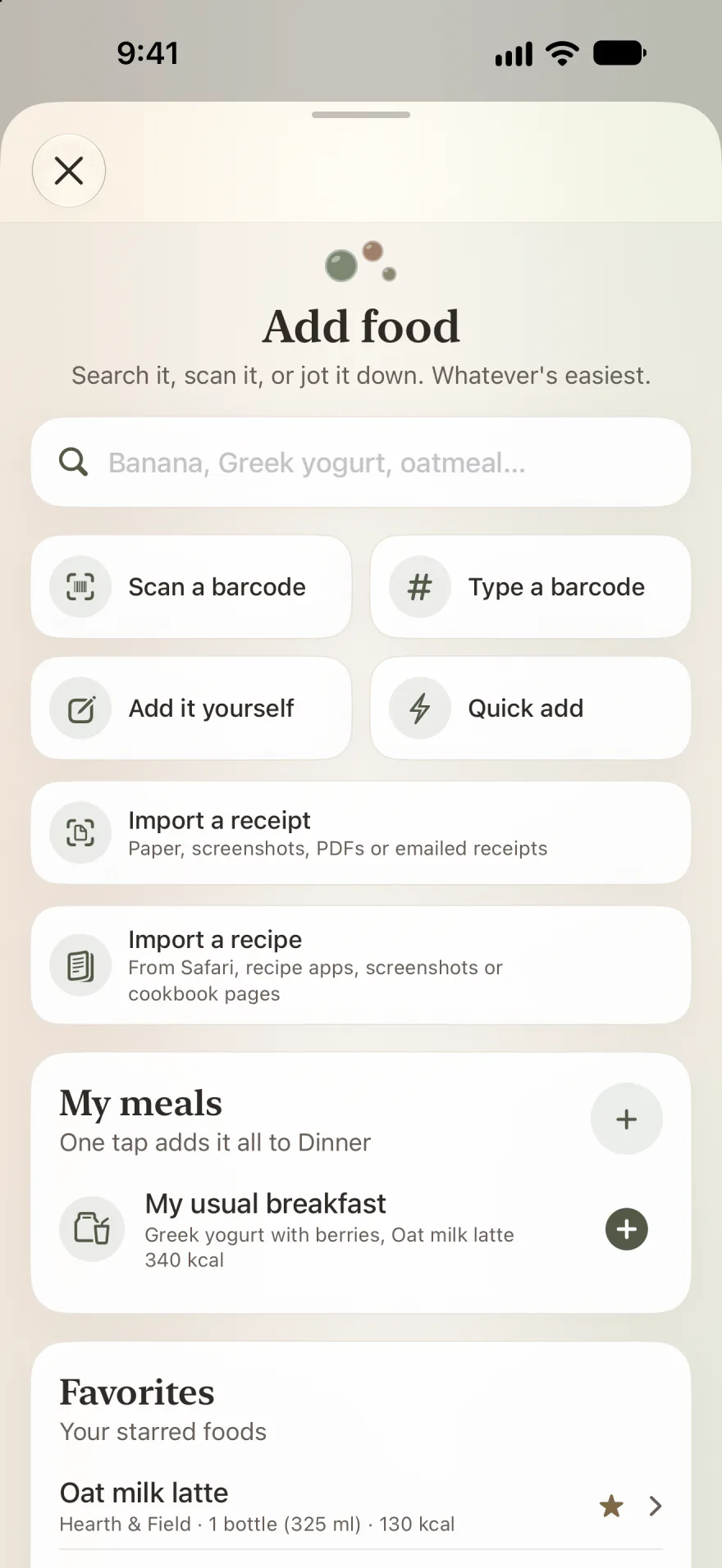
1. Bring the receipt in
On the Food tab, tap Add food, then Import a receipt. Then:
- Scan a paper receipt with your camera. Lay it flat in good light. A long one can go in a few pages.
- Choose screenshots or photos, up to 5 in order. In a delivery app, open the order, then its receipt. In a grocery app, look in your purchase history.
- Open a PDF or file, such as a receipt PDF or an email saved as a PDF.
- Paste receipt text copied from an email or web page.
2. Check the foods
Losing It finds the foods, matches each one, and shows them as a meal named after the store, or “Receipt” and the date when the store can’t be read. Check each food and its amount, and tap one to change it or find it a match. A food without a match counts as 0 calories until you find one or leave it out.
3. Save it or log it
Tap Just save the meal to keep it in My meals, or add it to your day, with or without saving it. A saved meal can be added again in one tap, like your usual breakfast.
What happens to the receipt
Receipts are read on your iPhone. The receipt itself, its prices and its totals are never saved, and the pictures and files you import are never uploaded. If a receipt has barcodes printed on it, some of those numbers may be sent to Open Food Facts to look the products up, with nothing about you. More in the privacy policy
Losing It is $0.99, once
A weight loss journal and calorie tracker for iPhone, with no subscription, no account and no ads.
Download on the App StoreAlso see how to import a recipe and what $0.99 includes.