A gentle weight loss journal for iPhone
Every pound deserves a moment.
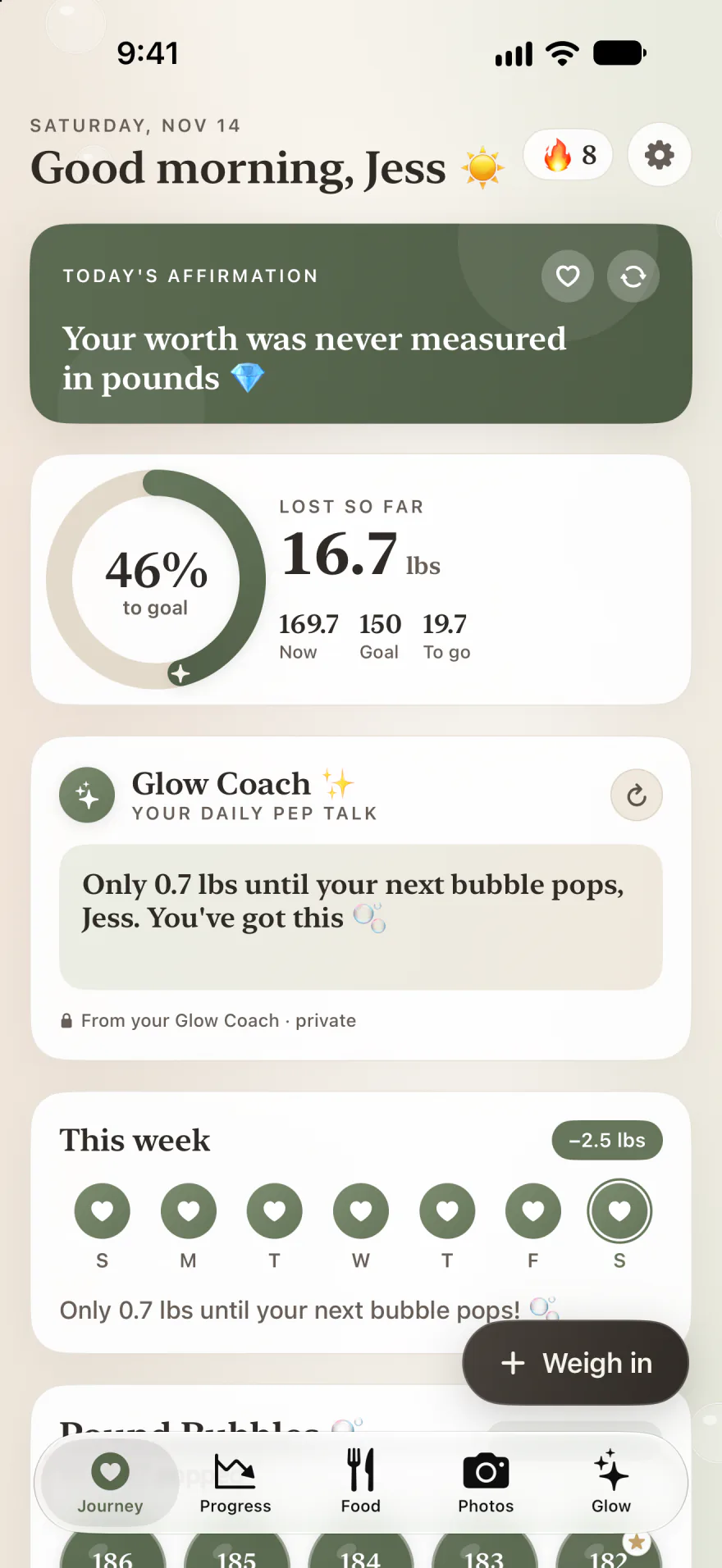
Tell Losing It where you started and where you’re headed, and it lays out one bubble for every pound in between. Each time a weigh-in takes you past another pound, its bubble pops.
- $0.99, once
- No account
- No ads, no tracking
Pound Bubbles
Watch every pound pop.
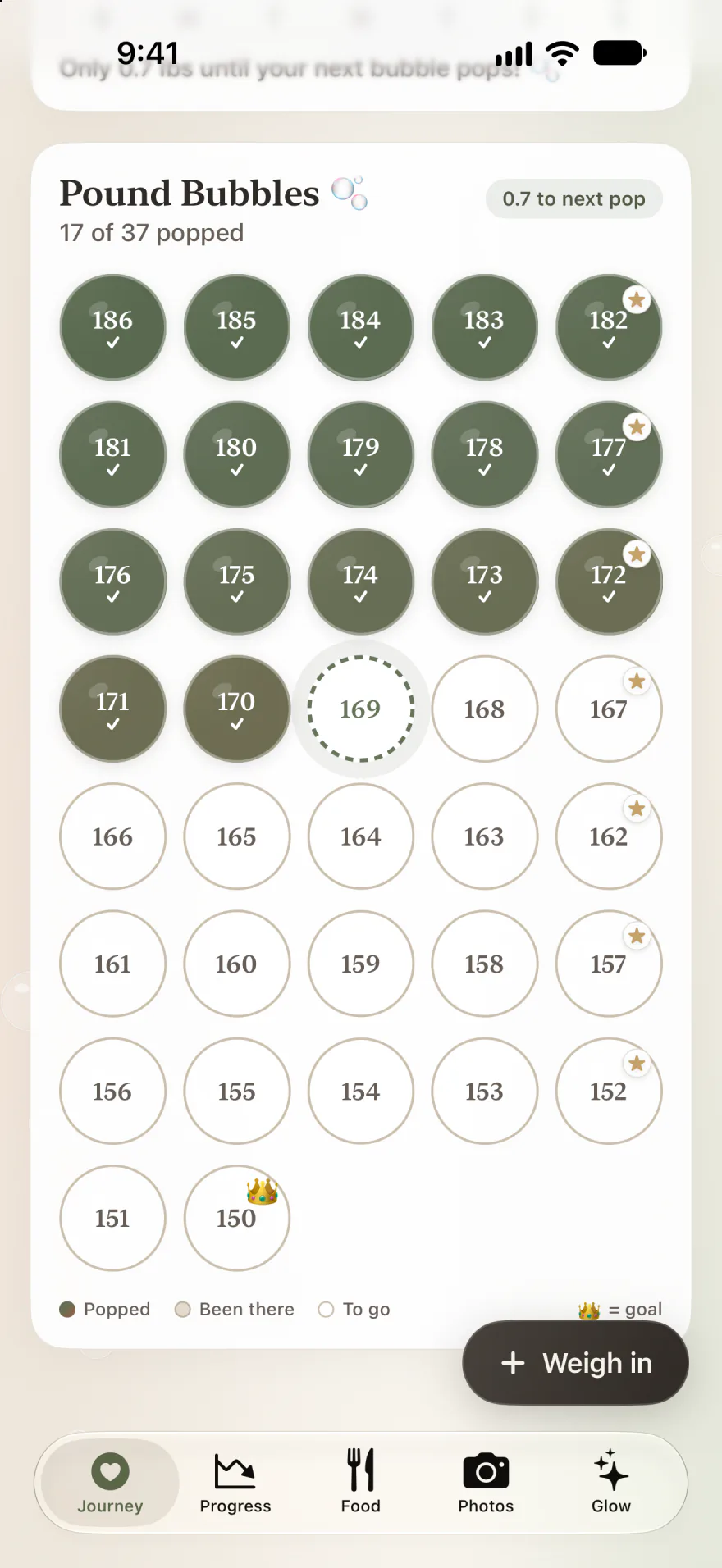
One bubble for every pound between your starting weight and your goal. A big number becomes a grid of small ones, and each one you pass pops with a small burst and a soft haptic tap.
- A star marks every fifth pound, and a crown waits at your goal.
- Pounds you have reached before stay softly marked, so an up day never erases how far you have come.
- Tap any bubble to see when it popped.
This one is live. Drag the scale down, then back up.
Pound Bubbles
5 of 20 popped
Weigh-ins
Weigh-ins that feel good.
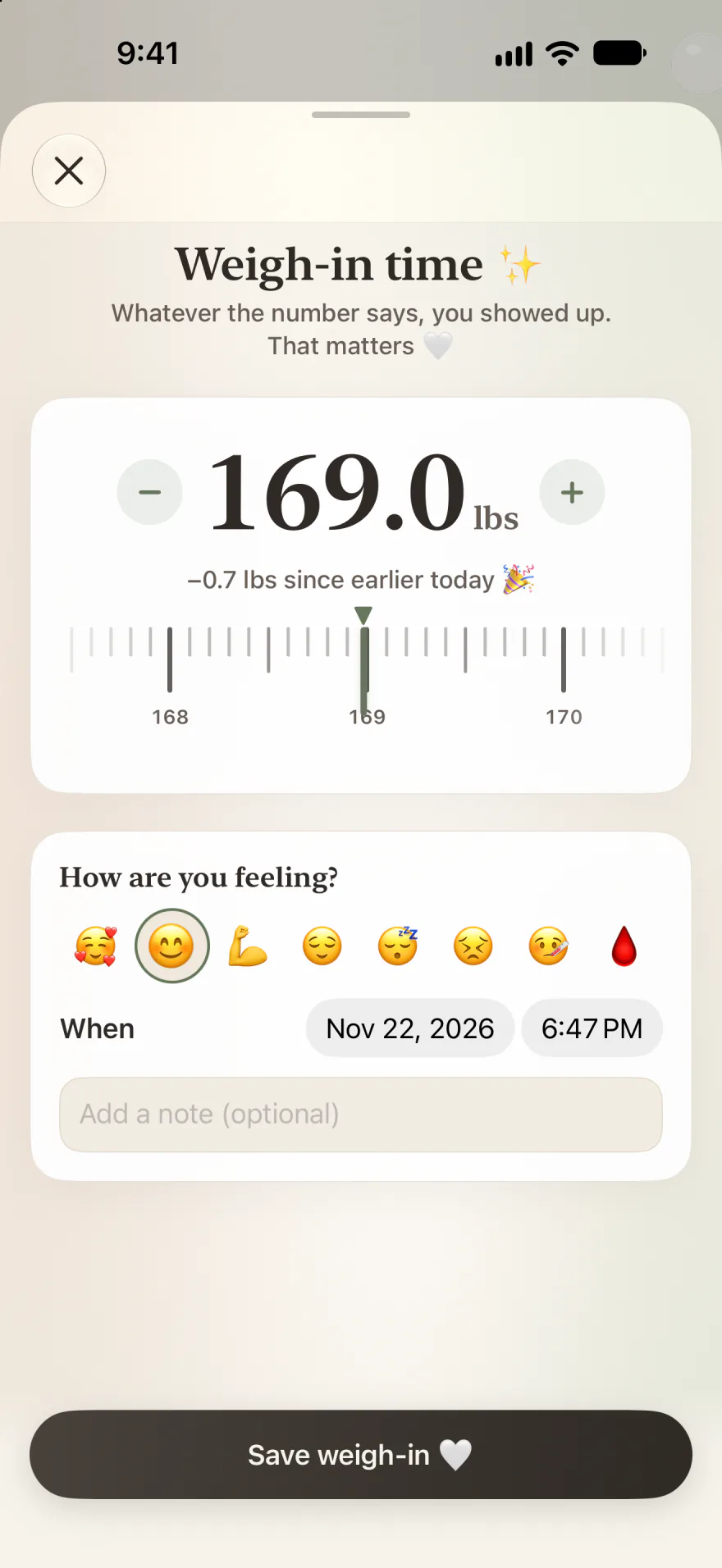
Stepping on the scale takes something. Losing It meets it with a small celebration, whatever the number says.
- A scale-style ruler that ticks under your thumb, or tap the number to type it.
- Add a mood, a date and a note if you like.
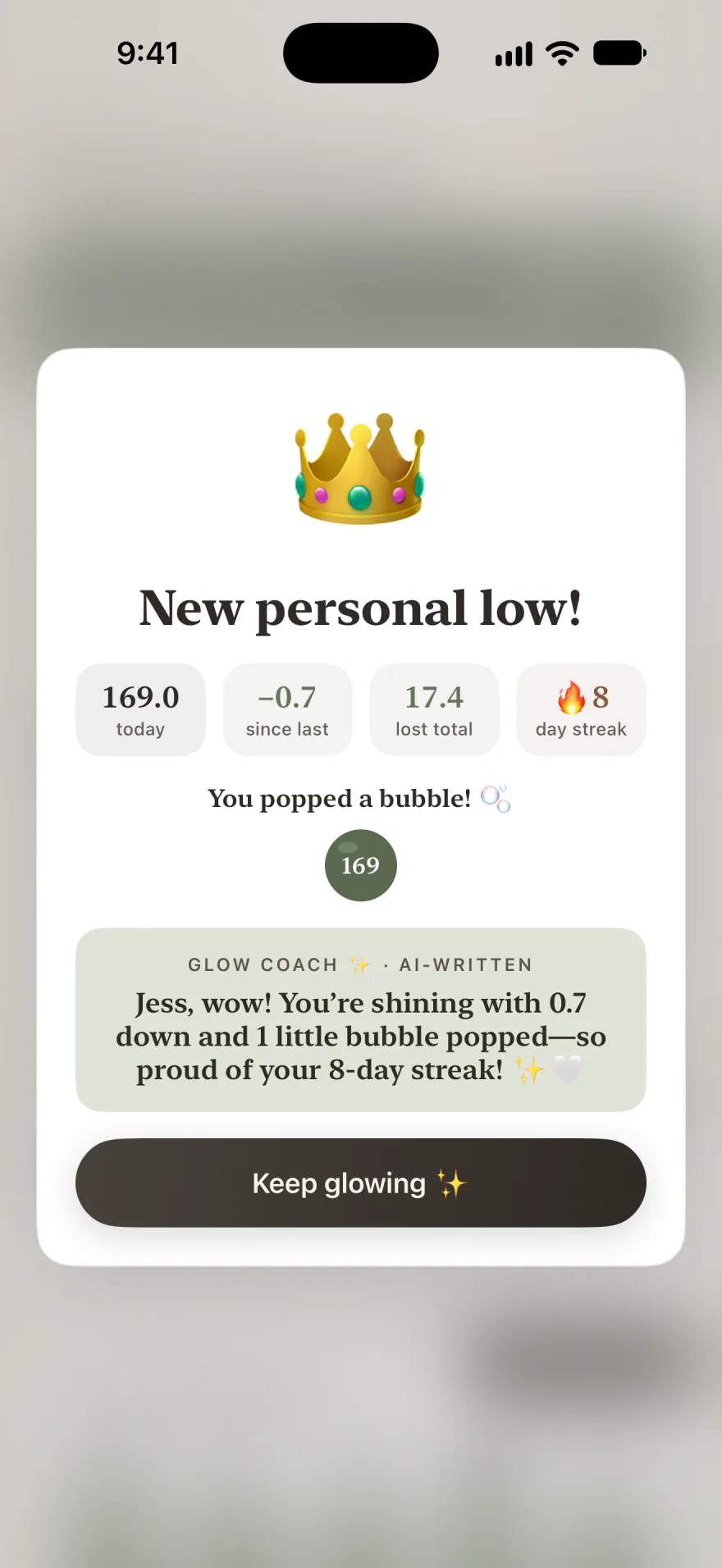
- A short celebration after every weigh-in, with the bubbles you just popped and an affirmation.
- When the scale goes up, the words stay kind.
Whatever the number says, you showed up. That matters.
Food & nutrition
And when you want to, log your food too.
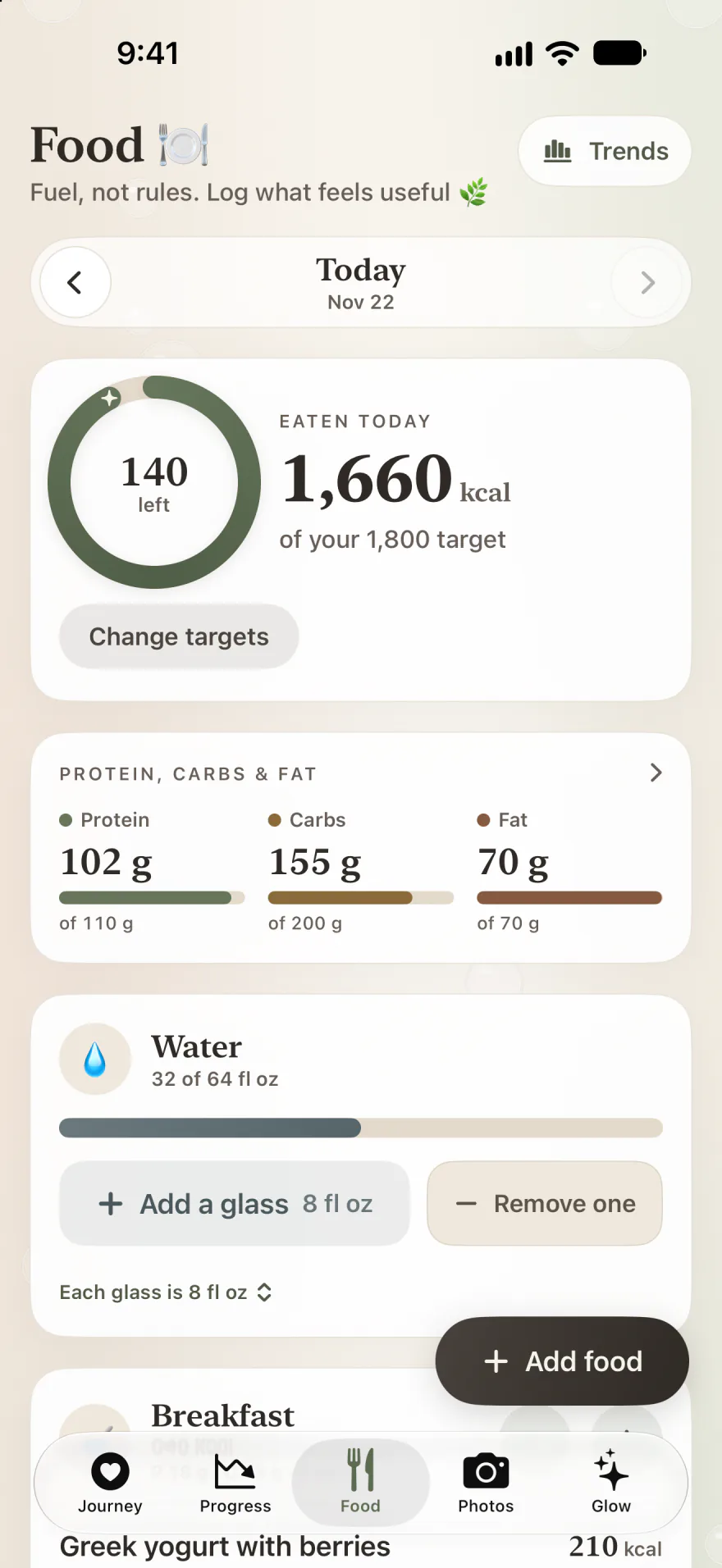
A simple food log for breakfast, lunch, dinner and snacks. Fuel, not rules: log what feels useful, and set a target only if you want one.
-
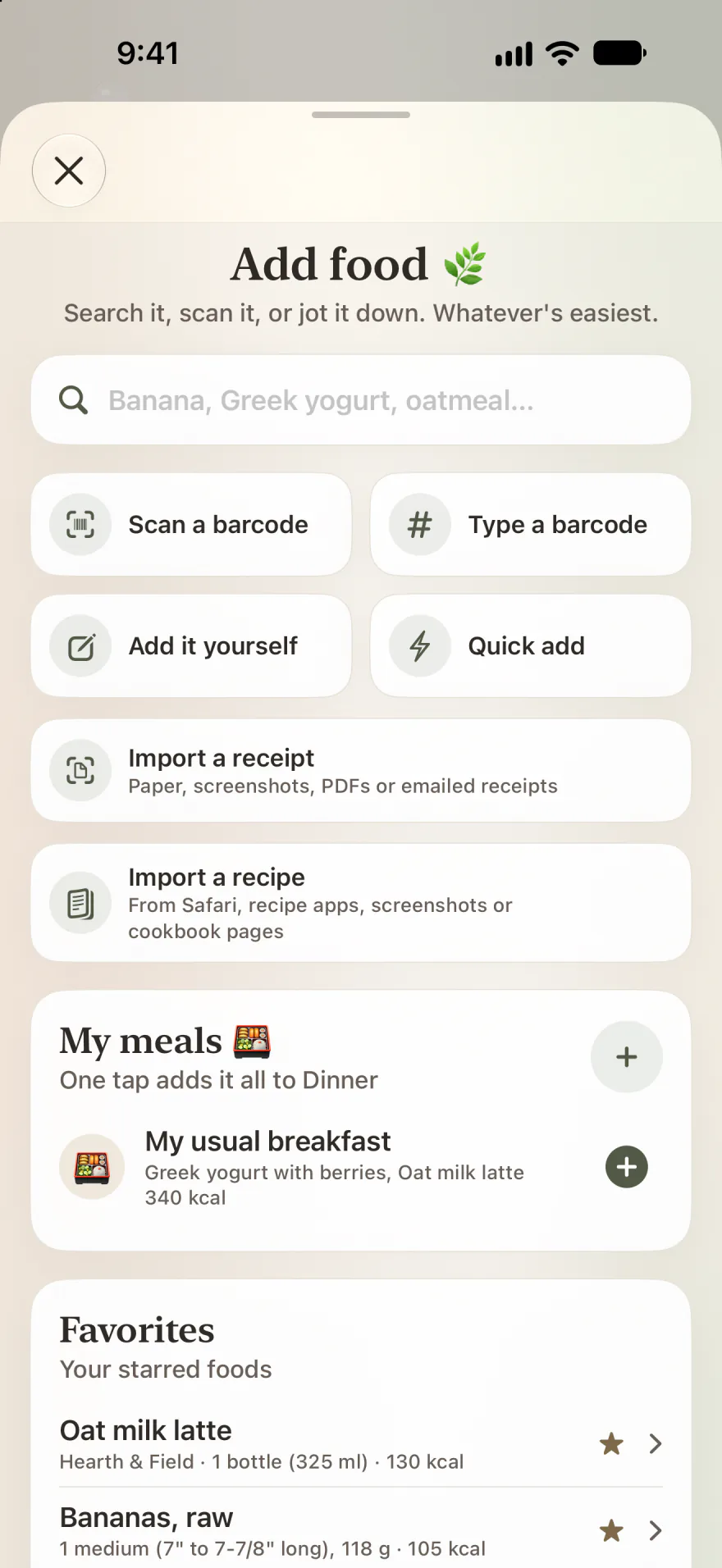
Search millions of foods
Foods and brands from USDA FoodData Central and Open Food Facts. Everyday foods work even offline.
-
Scan a barcode
Or type the numbers in, or add any food by hand. Pick a portion like 1 medium or 1 cup, or go by grams or ml.
-
Bring recipes in
From Safari, recipe apps, screenshots, PDFs or cookbook pages. Losing It matches every ingredient for you to check.
-
Turn a receipt into a meal
Grocery, delivery or restaurant. Receipts are read on your iPhone, and the receipt and its prices are never saved.
-
See what’s in it
Calories plus protein, carbs, fat, fiber, sugars, saturated fat and sodium, with trends for the last 7, 30 or 90 days.
-
Targets, only if you want them
Optional daily targets for calories, protein, carbs, fat, fiber and water. A day over a target gets kind words, never a warning.
- Water, one glass at a time
- Favorites
- Saved meals
- Your own foods and recipes
- Quick add
- Same as yesterday
Progress
See how far you’ve come.
The scale is one number on one morning. Charts, photos and recaps show the whole way here.
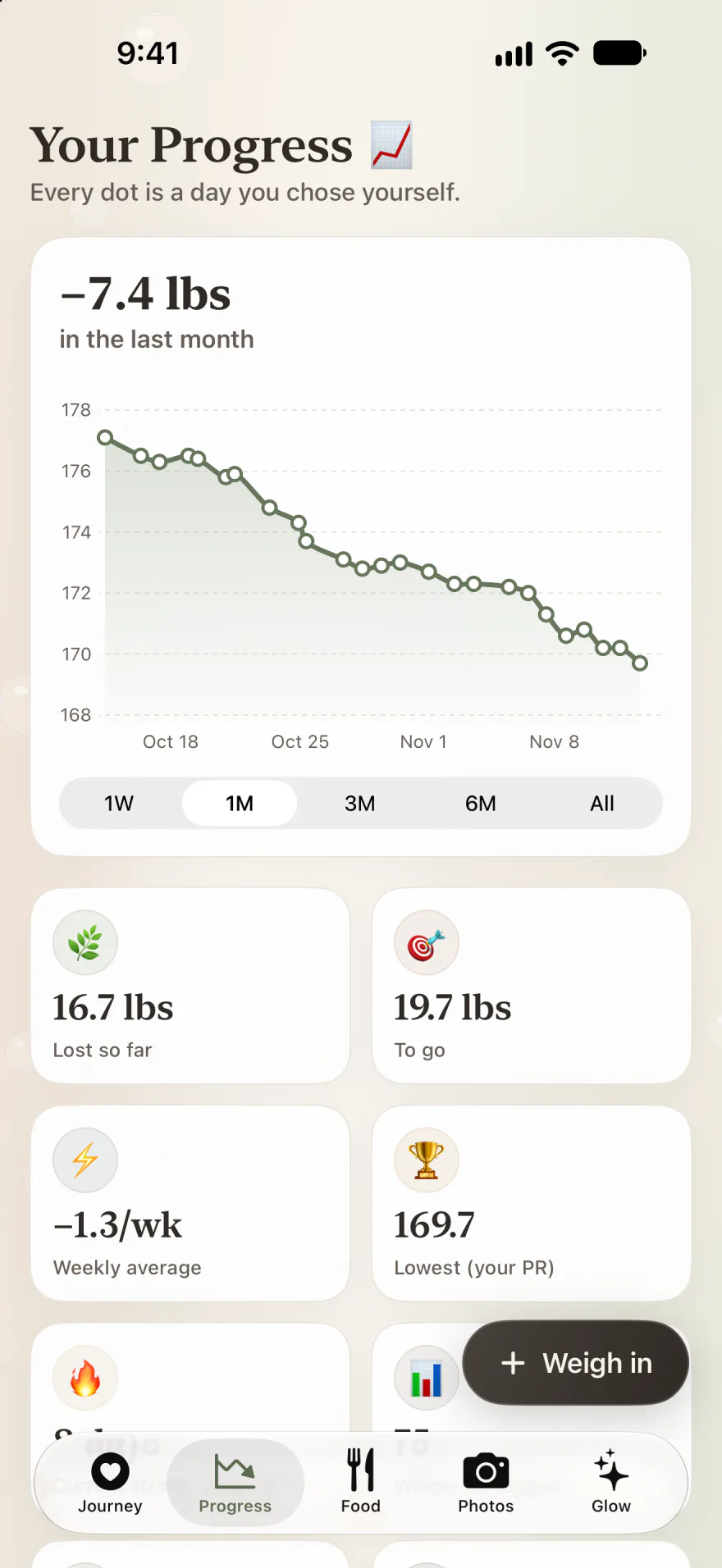
A clear chart, gentle stats
A weight chart from the last week to all time, with your goal line. Pounds lost and to go, streaks, best week and an estimated goal date.
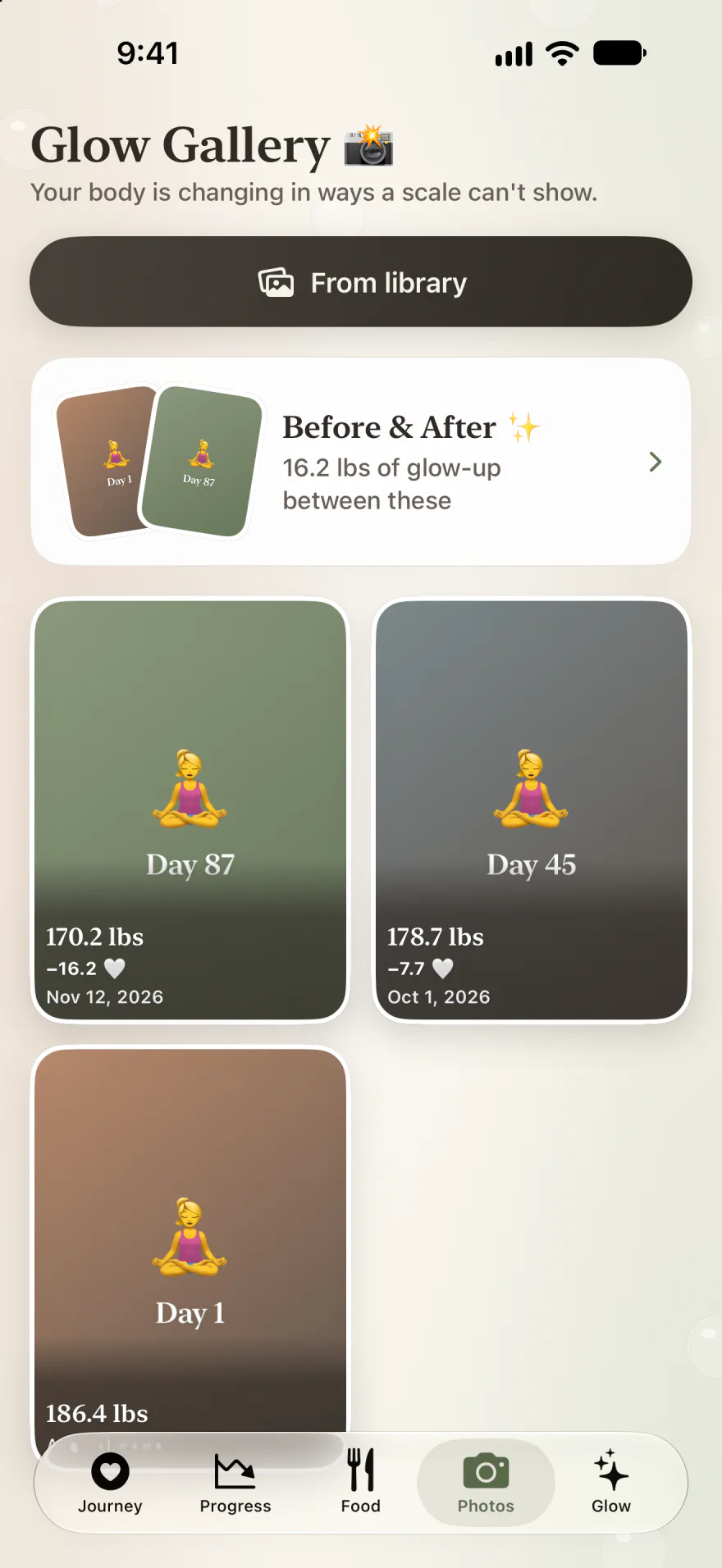
Progress you can see
Add photos from your library or take one with the camera, then compare any two with a before-and-after slider or side by side.
Your journey, as a story
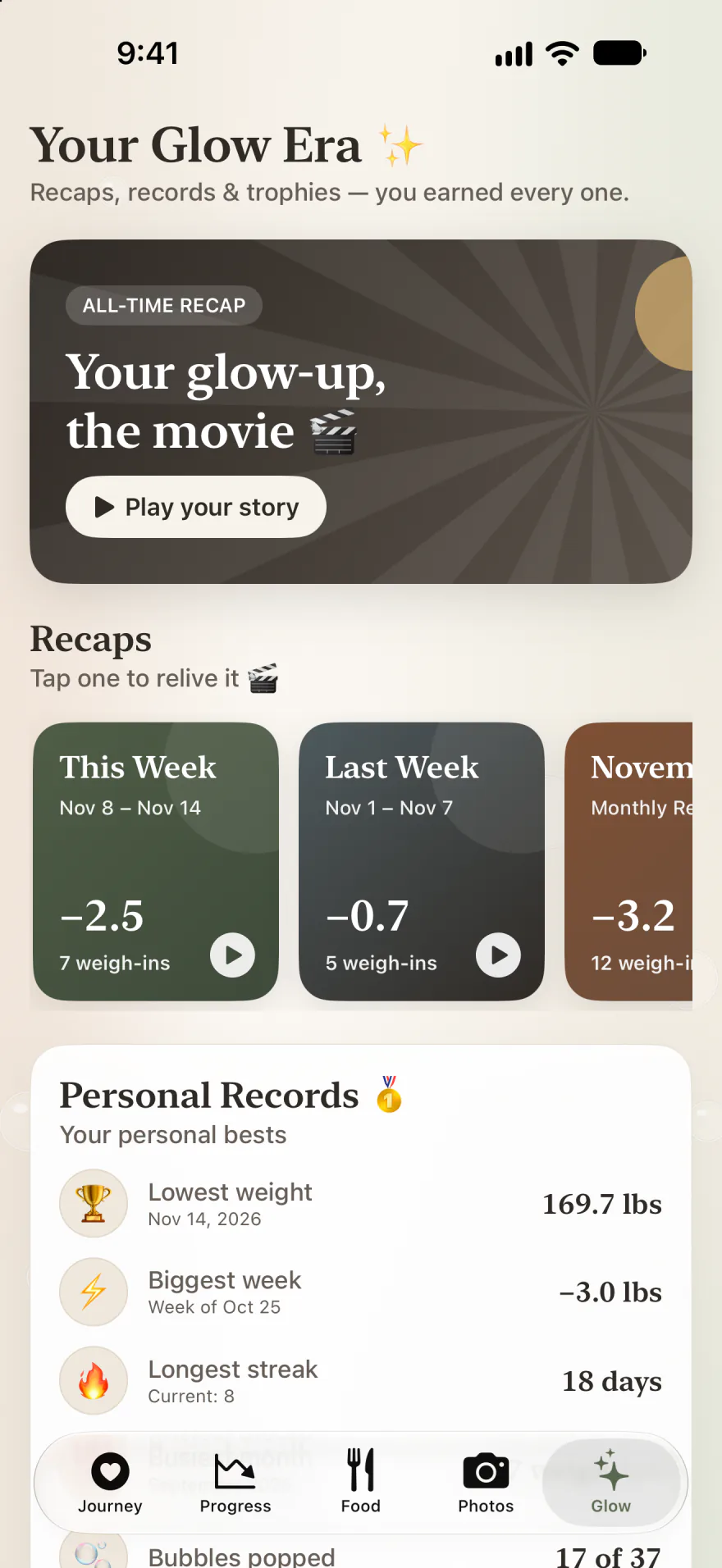
Story-style recaps for your weeks, months and whole journey, a summary card to share, and a trophy case of 21 badges.
Every day
Encouragement at a glance.
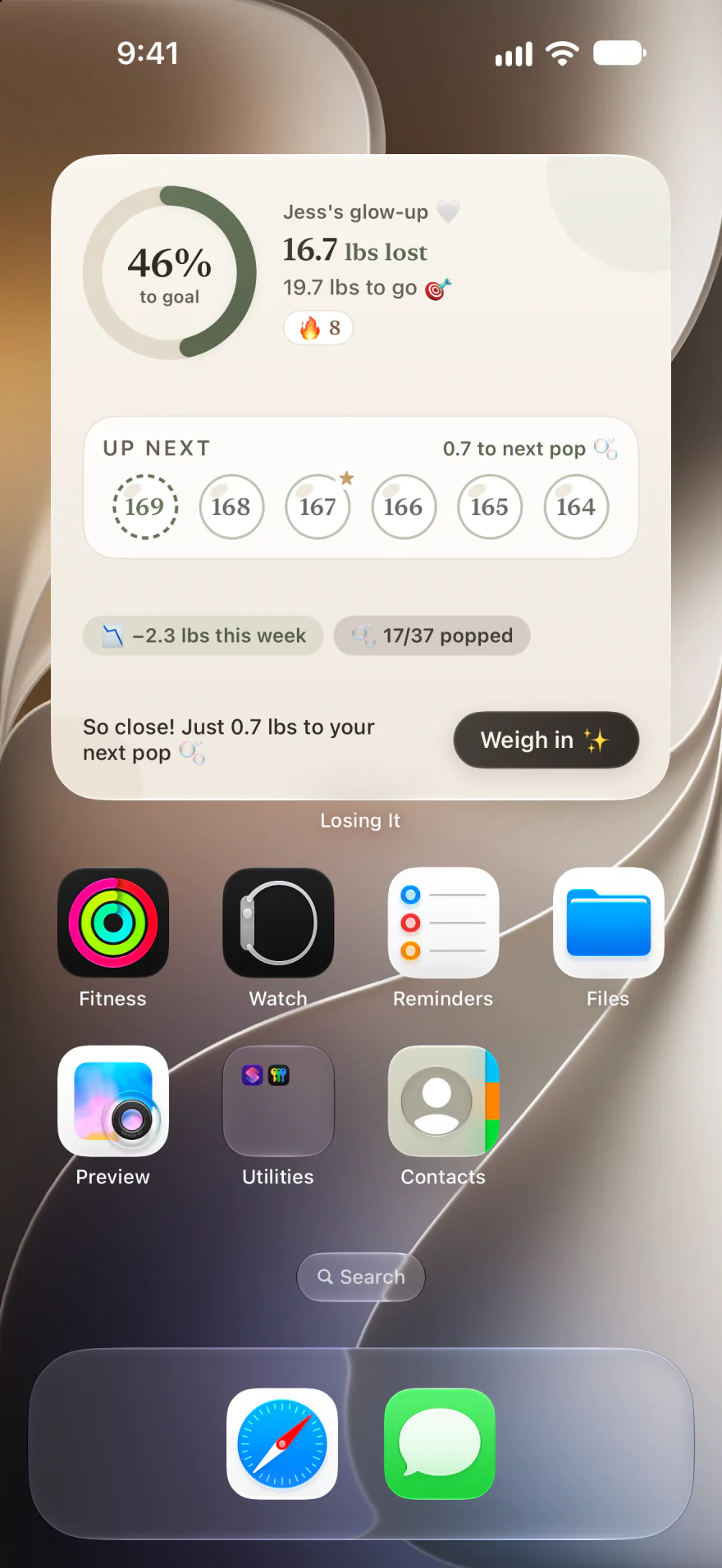
A new affirmation every day, and widgets that keep your next pop in view.
Today’s affirmation
Your worth was never measured in pounds 💎
Shuffle it, or tap the heart on the ones you love. The app has forty.
Widgets
- Pound Bubbles and Daily Affirmation for the Home Screen
- Today’s Food, Food & Macros and Water for the Home Screen
- Glow Progress and Today’s Food for the Lock Screen
Glow Coach, on device
On iPhones with Apple Intelligence and iOS 26 or later, the optional Glow Coach writes short pep talks for your day, your weigh-ins and your recaps. It runs entirely on your iPhone and is designed to cheer you on, not to give diet, food or exercise advice.
Private by design
Your journal stays yours.
A weight is a personal thing to write down. Losing It has no account to make, and nothing you enter comes to us.
-
No account, no ads, no tracking
There is no sign-in, and the app contains no analytics or advertising code.
-
Your own private iCloud
Your journal and food log sync through your own private iCloud. Without iCloud, they stay on your iPhone.
-
Search that keeps quiet
Food search never sends the words you type, and a barcode lookup sends nothing about you.
-
Read on your iPhone
Recipes and receipts you import are read on your iPhone. The photos, scans, PDFs and text you import are never uploaded.
-
Erase everything
Clear your weigh-ins, photos, food and profile at any time from Settings.
-
App Store privacy label
Data Not Collected

$0.99. Once.
No subscription, no in-app purchases and no ads. Buy it once and every feature is yours.
Download on the App StoreFor iPhone with iOS 18 or later. $0.99 is the US price; it may differ in other countries.
Good to know
Is there a subscription?
No. Losing It is a one-time purchase, with no subscriptions, no in-app purchases and no ads.
Do I need an account?
No. There is no account or sign-in. Your journal and food log live on your iPhone and, if you use iCloud, in your own private iCloud.
Does it work offline?
Your journal works without a connection, and everyday foods can be searched offline. Packaged foods, barcode lookups and recipe links need an internet connection.
Pounds or kilograms?
Weights are in pounds and food is in calories (kcal).
What do I need to run it?
An iPhone with iOS 18 or later. The optional Glow Coach needs an iPhone that supports Apple Intelligence, with iOS 26 or later.
Where do the nutrition numbers come from?
From labels and public databases, including USDA FoodData Central and Open Food Facts, so they may not be exact. You can adjust anything to match your package. The full list of sources is on the food data credits page.
Losing It is a personal journal for motivation and reflection. It is not a medical device and does not give medical, diet or nutrition advice. Please talk with a healthcare professional before starting any weight loss plan or choosing a calorie target.